



How Much SUV Do You Really Need? Why the 2026 Chevy Trax Makes Sense for South Jersey Drivers
When you sit in bumper-to-bumper traffic on Route 70 during morning rush hour, finding real 2026 Chevy Trax affordable SUV value begins with a simple realization: you do not need to pay over thirty-five thousand dollars for daily commuting peace of mind. Navigating congested lanes along I-295 or taking quick errands around Marlton should feel comfortable, direct, and financially practical.
Choosing a sensible crossover gives you modern elevated seating and versatile cargo room without stretching your monthly family budget. You deserve a vehicle that handles unpredictable weather, fits easily into tight parking spots, and leaves plenty of room in your wallet for weekend fun.
Picture heading out on a rainy October morning with smooth steering, clear touchscreen navigation, and complete confidence in your monthly finances. That balance of everyday capability and smart pricing makes all the difference for South Jersey drivers.
2026 Chevy Trax Affordable SUV Value for Route 70 Daily Commuters
2026 Chevy Trax Sub-25k Crossover Savings for Cherry Hill Shoppers
Sitting behind the wheel during morning traffic along Route 70 in Cherry Hill can quickly feel stressful if you are worried about heavy car payments. Choosing a budget-conscious crossover gives you the elevated driving height you love without imposing a hefty price tag.
Key Financial & Styling Advantages:
- Sub-25k sticker price: Keeping your investment well under $25,000 means lower monthly auto payments and smaller insurance premiums, leaving extra financial room for shore trips.
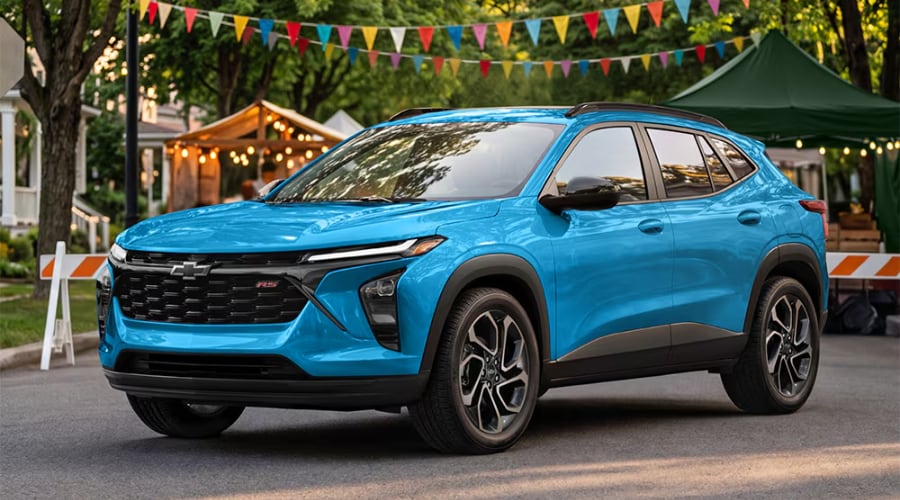
- Modern styling and stance: Sweeping exterior lines and bold wheel options deliver a confident road presence that looks right at home parked in your driveway.
2026 Chevy Trax Practical Everyday SUV Utility for Marlton Market Runs
Loading up rear cargo space after a busy morning at the Marlton Farmers Market or packing sports equipment for Saturday games in Evesham requires real flexibility. You should never have to compromise on interior room just because you chose a smaller vehicle.
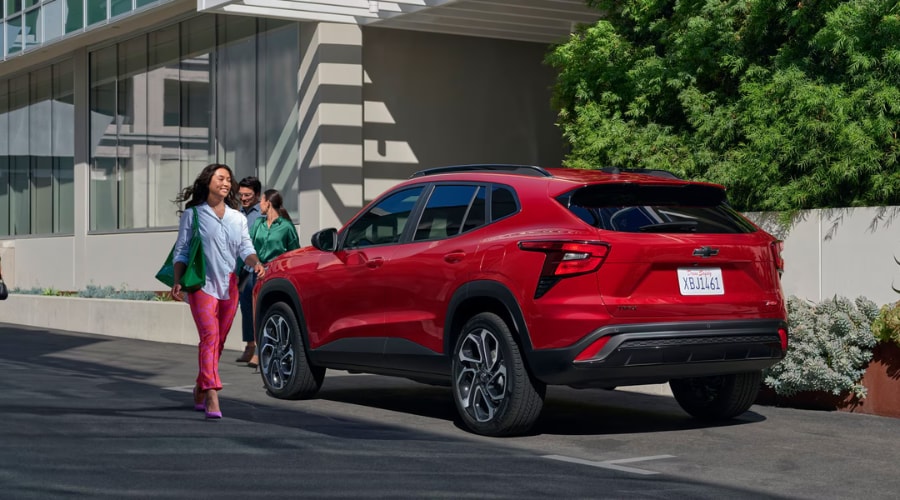
Maximizing Interior Room & Cargo Flexibility
Having generous interior dimensions allows you to pack for weekend trips or carry passengers in complete comfort without feeling cramped:
Everyday Cabin & Utility Highlights:
- 54.1 cubic feet of maximum cargo capacity: Folding down the 60/40 split rear seats creates a flat load floor that easily handles luggage, groceries, or camping supplies.
- Generous 38.7 inches of rear legroom: Spacious rear seating ensures adult passengers and tall teenagers ride comfortably without knees touching the front seats.
"Finding real affordable SUV value begins with a simple realization: you do not need to pay over thirty-five thousand dollars for daily commuting peace of mind."
At Elkins Chevrolet, our team is dedicated to providing friendly, transparent guidance to help South Jersey drivers find the right vehicle for their daily lives. We are proud to carry the fresh lineup of 2026 Chevy Trax trims right here in our new inventory in Marlton. You can easily schedule a test drive or contact our team today to learn more about finding your perfect trim.

2026 Chevy Trax South Jersey Commuter Efficiency on I-295 and Route 70
Navigating congested highway lanes or taking quick errands across South Jersey should feel comfortable, direct, and efficient during every commute.
2026 Chevy Trax Cargo Space and Tech Comforts During Rainy Expressway Drives
When sudden autumn rainstorms sweep across the Atlantic City Expressway, keeping your focus on the road ahead is what matters most. Intuitive dash displays and built-in safety features work together so you stay relaxed and in total control:
Standard Tech & Safety Features:
- Standard Chevy Safety Assist: Automatic Emergency Braking, Lane Keep Assist with Lane Departure Warning, and Forward Collision Alert actively monitor traffic around you.
- Available 11-inch diagonal HD touchscreen: Wireless Apple CarPlay and Android Auto integration bring maps, podcasts, and calls directly to your display screen without messy cords.
Turbocharged 1.2L Engine Confidence for Quick Merges Near Deptford On-Ramps
Accelerating smoothly onto fast-moving highway lanes around Deptford requires prompt engine power and nimble steering response. You want an energetic drive that merges into traffic effortlessly while remaining gentle on your fuel budget.
Seasonal Maintenance and Preventive Service Support in Marlton and Evesham
Dedicated Fixed Ops Feature Check and Elkins Chevrolet Service Center Support
Keeping your daily crossover running smoothly through South Jersey's changing seasons starts with easy preventive care from our Service Center at Elkins Chevrolet. Connecting standard driving technologies to routine dealership maintenance ensures long-term reliability and protects your financial investment.
Pre-fall battery diagnostics: Checking battery charge levels prevents sudden cold-weather starting issues before winter mornings arrive in Mount Laurel Township. Wiper blade replacement and washer fluid check: Fresh wiper blades ensure clear visibility when heavy rain or autumn mist hits your windshield along I-295.
Essential Fall Safety Inspections for Smooth Drives Across Mount Laurel Township
Driving on slick, leaf-covered suburban streets across Evesham requires maximum tire grip and responsive braking action. Routine service checks at our Marlton location help prevent minor wear from turning into costly repairs down the road.
Preventive Care Steps for Seasonal Peace of Mind
Simple service checks performed by certified technicians ensure optimal handling and stopping performance across changing weather conditions:
Essential Maintenance Checklist:
- Tire tread depth inspection and rotation: Rotating tires regularly extends tread life and maintains reliable traction during wet road conditions.
- Brake pad and rotor inspection: Verifying brake pad thickness guarantees firm, predictable stopping power during sudden highway stops.
Visiting a certified Chevy service center near Mount Laurel keeps your vehicle operating smoothly and reliably all year long.

2026 Chevy Trax Trim & Specification Reference Guide
Trim Level & Spec |
Engine & Transmission |
Fuel Economy Rating |
Practical Human Benefit |
|---|---|---|---|
LS & 1RS Trims |
1.2L Turbocharged 3-Cylinder with 6-Speed Automatic | EPA-Est. 28 City / 32 Highway MPG | Snappy city acceleration and fuel savings for daily commutes down Route 70. |
LT, 2RS & ACTIV |
1.2L Turbocharged 3-Cylinder with 11-inch Touchscreen | EPA-Est. 30+ Combined Highway MPG | Upgraded cabin tech and maximum highway efficiency for long drives across South Jersey. |
2026 Chevrolet Trax FAQ: Frequently Asked Questions
FAQ: 2026 Chevrolet Trax Cabin & Screen Features
Q: What makes the 2026 Chevy Trax a smart value for South Jersey commuters?
A: The 2026 Chevy Trax offers sub-25k pricing paired with modern interior tech and 54.1 cu. ft. of cargo room. It delivers elevated seating and standard safety tech without overstretching family budgets.
Drivers enjoy low monthly payments alongside advanced infotainment features perfect for daily Route 70 driving.
Q: What engine and fuel economy specs does the 2026 Chevy Trax feature?
A: The Trax comes with a 1.2L Turbocharged 3-Cylinder engine paired with a 6-speed automatic transmission. It earns an EPA-estimated 28 City / 32 Highway MPG for strong expressway efficiency.
This powertrain delivers snappy city acceleration while helping keep daily commuting costs low.
Q: How do I schedule service for my 2026 Chevy Trax in Marlton?
A: You can easily schedule maintenance online or contact our Marlton service center directly. Our certified technicians handle routine inspections, tire rotations, and diagnostic checks.
Explore our current inventory and service offerings by visiting our new Chevrolet inventory online.
FAQ: 2026 Chevrolet Trax Safety & Maintenance
Q: What driver assist technologies come standard on the 2026 Chevy Trax?
A: Standard Chevy Safety Assist includes Automatic Emergency Braking, Lane Keep Assist with Lane Departure Warning, and Forward Collision Alert. These technologies actively monitor surrounding traffic.
They work together to keep you relaxed and confident during rainy expressway drives on I-295.
Q: Why are seasonal inspections important for South Jersey drivers?
A: Fall inspections check tire tread depth, brake pads, wiper blades, and battery charge levels. Performing routine checks prevents minor wear from becoming costly repairs.
Keep your crossover running smoothly by scheduling a checkup at our certified Chevy service center.
FAQ: Purchasing & Dealership Services in Marlton
Q: Can I test drive the 2026 Chevy Trax at Elkins Chevrolet?
A: Yes, you can schedule a test drive online or stop by our showroom on Route 73 in Marlton. Experience the quiet cabin, smooth handling, and touchscreen tech firsthand.
Contact our sales advisors today or apply online through our secure financing application form.
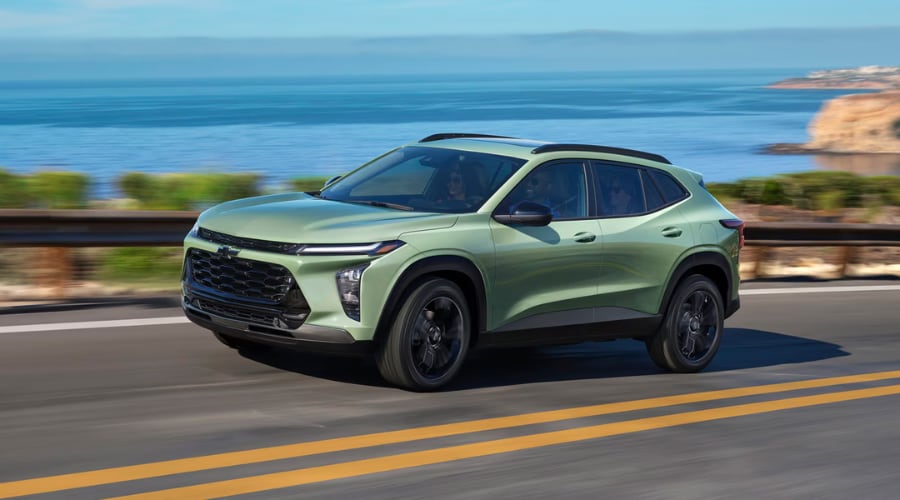
Experience Smart Crossover Driving at Elkins Chevrolet in Marlton
Schedule Your 2026 Chevy Trax Test Drive Near Evesham Today
Stepping into a modern crossover that fits your lifestyle and budget should feel exciting and rewarding. Visiting our local showroom gives you a hands-on feel for the quiet cabin, smooth handling, and responsive touchscreen controls. Explore our service specials or schedule a service appointment online to keep your crossover running at peak performance.
Explore Flexible Financing and Local Maintenance Care in South Jersey
Taking the next step toward a practical vehicle option is simple when you work with local automotive advisors who care about your needs. Stop by Elkins Chevrolet in Marlton today to explore current vehicle options and take a friendly test drive around the neighborhood.