

Master Hands-Free Cruising and 2026 Chevy Silverado 1500 Trailer Tech Across South Jersey
When morning traffic grinds to a halt along Route 73 or the NJ Turnpike, having intuitive technology at your fingertips changes your entire commute. Welcome to your ultimate 2026 Chevy Silverado 1500 Super Cruise Guide, designed to turn high-stress highway drives across Burlington and Camden Counties into relaxed, confident journeys.
Whether you are navigating daily stop-and-go roadwork or hitching up a boat for a weekend getaway, mastering your truck's onboard intelligence and 2026 Chevy Silverado 1500 trailer tech keeps you relaxed and focused behind the wheel.
Mastering Hands-Free Highway Driving with the 2026 Chevy Silverado 1500 Super Cruise Guide Across Route 73
When you sink into the driver's seat after a long day in Cherry Hill or Voorhees, the last thing you want is a frustrating drive home. Cruising home toward Evesham becomes remarkably smooth when your truck handles steering, braking, and acceleration on mapped highways.
"Mastering hands-free cruising on mapped highways turns high-stress daily commutes across South Jersey into completely relaxed, confident journeys."
How to Turn On 2026 Chevy Silverado Super Cruise Using Steering Wheel Controls on I-295
When you merge onto compatible stretches of highway like I-295, engaging hands-free driving takes just a couple of quick button presses. Follow these simple steps to activate the system:
Super Cruise Activation Steps:
- Press the Adaptive Cruise Control button on the left steering wheel spoke to set baseline speed.
- Confirm the white Super Cruise symbol illuminates on your digital instrument cluster screen.
- Press the dedicated Super Cruise button to hand over steering, braking, and acceleration control.
Once the system takes control, relax your hands from the wheel while keeping your eyes focused on the road ahead.
Decoding Steering Wheel Light Bar Signals for Confident Automatic Lane Changes on the NJ Turnpike
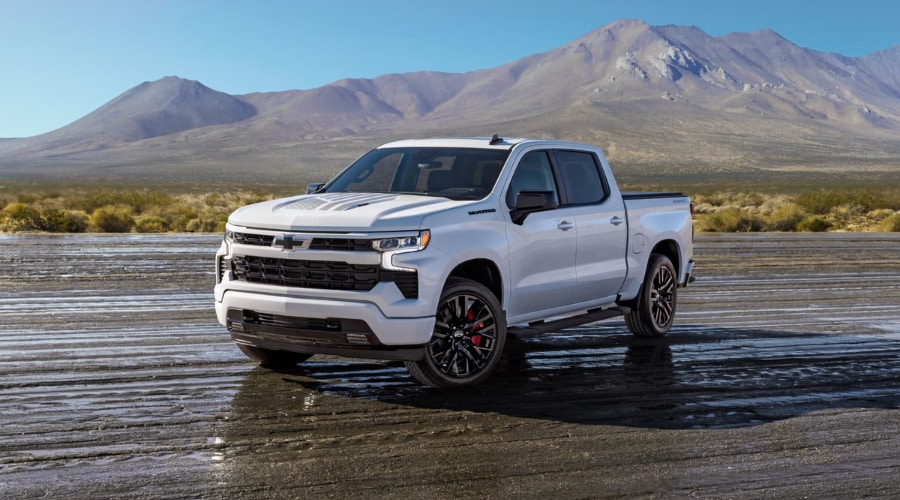
When you look at the integrated light bar on top of your steering wheel rim, the color tells you exactly what the driver assistance system is doing. Understanding these visual cues ensures complete peace of mind during heavy highway traffic:
Light Bar Operational Signals:
- Solid Green Bar: Hands-free driving is active and maintaining your speed and lane position.
- Flashing Green Bar: The system detects an upcoming scenario requiring manual steering takeover.
- Flashing Red Bar or Chime: Take immediate manual control due to construction or complex merges.
Need to pass a slow-moving commercial truck near Mount Laurel? Simply tap your turn signal stalk, and automatic lane-change-on-demand smoothly maneuvers your Silverado into the open lane when clear.
When you are ready to see how effortless your daily commute can feel, our team at Elkins Chevrolet in Marlton is always here to guide you through every feature. The new 2026 Silverado 1500 is officially available in our new inventory today. Contact us to schedule a test drive to experience hands-free Super Cruise technology firsthand along Route 73.
Stress-Free Towing and Trailering Setup for 2026 Chevy Silverado Trailering App Setup in Marlton
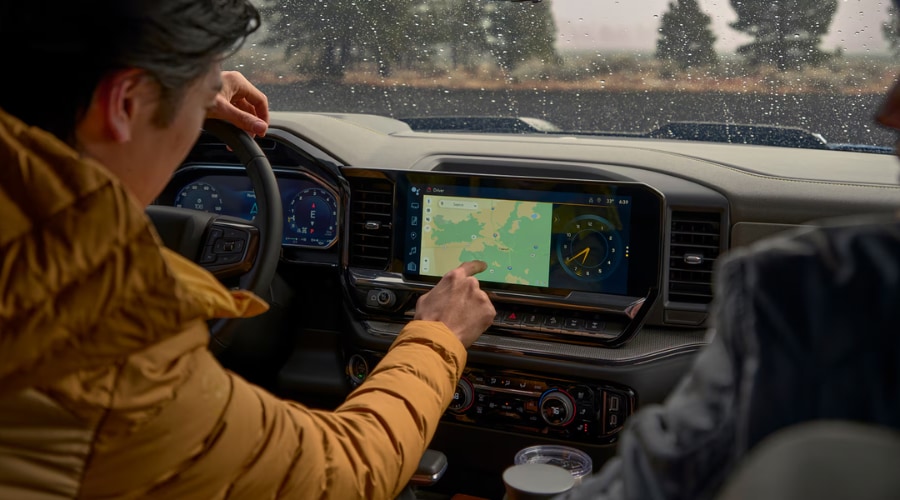
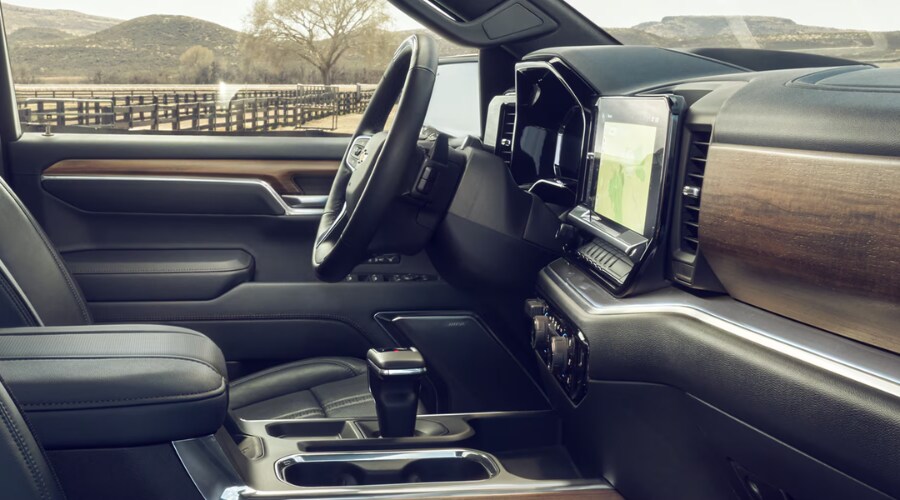
When Friday afternoon arrives, and it is time to haul your boat or camper down to the shore, trailer hookups should never be a multi-person guessing game. Bringing up your trailering controls on the crisp 13.4-inch display gives you total clarity before you ever pull out of the driveway.
How to Set Up Silverado Hitch Guidance Camera for Effortless Single-Person Boat and Camper Hookups
When backing up to your trailer coupler alone in your Greentree driveway, your touchscreen eliminates all the typical guesswork. Follow these steps for a perfect alignment on your first attempt:
Tap the Camera icon on your 13.4-inch Chevrolet Infotainment 3 display. Select Hitch View to bring up a zoomed-in, top-down perspective of your trailer hitch ball. Shift into Reverse and guide the dynamic centerline overlay directly beneath your trailer coupler.
The tactile screen controls respond instantly, eliminating the frustration of constantly stepping in and out of the cab to check your alignment.
2026 Chevy Silverado Trailering App Setup for Custom Profiles and Live Trailer Tire Pressure Monitoring
When configuring your 2026 Chevy Silverado trailering app setup, tap the menu icon on your center screen to create a custom profile for every trailer you tow. Follow these quick steps to store your settings:
Open the Trailering App and select Create Profile to enter a custom name for your boat, camper, or utility trailer. Set your custom integrated trailer brake controller gain based on your load weight. Sync optional auxiliary tire pressure sensors to track trailer tire temperatures and pressures in real time as you drive.
Before heading out toward Barclay or Marlton Township, run the automated exterior light check sequence through your smartphone or infotainment screen to verify all brake lights and turn signals are working.
Customizing Chevrolet Infotainment 3 Driver Assistance Settings for Peaceful Drives
When you are navigating crowded parking lots on a busy weekend afternoon, safety alerts should keep you aware without creating unnecessary panic. Personalizing your safety preferences ensures every chime feels like a helpful co-pilot rather than a loud distraction.
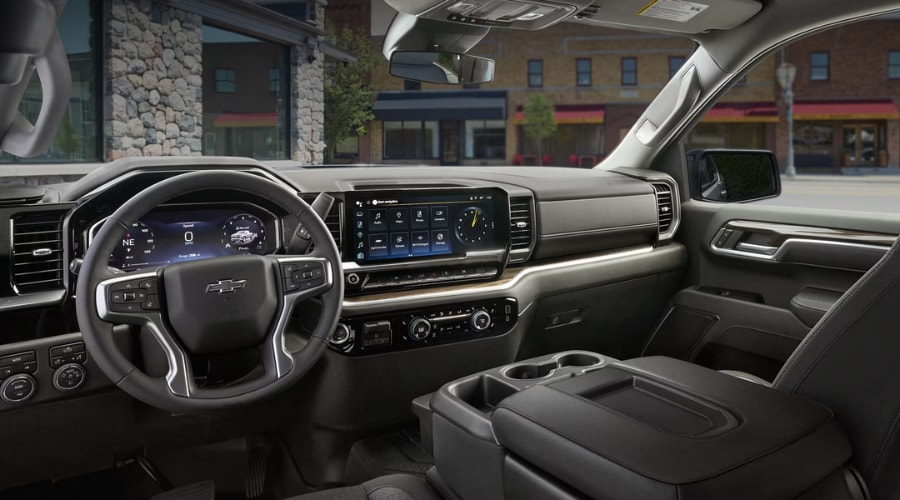
Chevy Silverado Change Lane Keep Assist Chime Volume to Eliminate Parking Lot Stress in Marlton
When maneuvering through tight parking spots near local shopping plazas, opening your vehicle settings allows you to customize warning sounds to your exact comfort level. Tap Settings on your central 13.4-inch display, select Vehicle, and tap Collision/Detection Systems. Select Alert Types to toggle between audible chimes or subtle Safety Alert Seat pulses.
Adjust your Chevy Silverado change lane keep assist chime volume sliders so warnings remain clear without startling your passengers. Customizing these audio alerts ensures you get gentle haptic feedback right through your seat cushion without interrupting your favorite podcast.
Fine-Tuning Safety Alerts for Local Route 70 Traffic
Customizing Forward Collision Distance and Park Assist Sensitivity
When commuting during heavy rush-hour traffic along Route 70, fine-tuning your Forward Collision Alert distance prevents sudden surprises. Adjusting your 2025 Chevy Silverado safety settings helps refine your Chevrolet Infotainment 3 driver assistance settings for everyday local driving. Press the gap adjustment button on your steering wheel to select between Far, Medium, or Near alert thresholds based on traffic density. Tweaking these preferences gives you complete control over Front and Rear Park Assist sensitivity, keeping your ride smooth and quiet across Marlton and Evesham.
Keeping Your Sensors Clear with Chevy Silverado Radar Sensor Maintenance
When summer bug splatter or road dust covers your front bumper, advanced safety sensors need a quick wipe to maintain peak performance. Keeping your optical lenses clean ensures Super Cruise and collision avoidance features operate flawlessly every mile of the way.
"Routine cleaning of windshield camera lenses and bumper radar modules guarantees uninterrupted Super Cruise performance across Burlington County highways."
Exclusive Chevy Service Coupons for Routine Maintenance Savings Near Mount Laurel
When planning your seasonal truck maintenance, taking advantage of valuable dealer offers keeps your Silverado performing like new without stretching your budget. You can save on essential maintenance items before heading out on long highway trips:
Seasonal Maintenance Savings Opportunities:
- Oil and Filter Specials: ACDelco synthetic oil replacements tailored for Silverado engines.
- Brake Pad Rebates: GM factory rebates on front and rear pad replacements for towing power.
- Air Filter and Battery Offers: Keep cabin air fresh and ensure dependable morning starts.
Checking our online service coupons before booking your appointment ensures you get maximum value and complete peace of mind on every visit.
Chevy Silverado Radar Sensor Maintenance for Spotless Windshield Cameras and Front Grille Lenses
When washing your truck, pay special attention to the top-center of your windshield where the driver-attention camera monitors your eye position. Use a soft microfiber cloth and non-abrasive glass cleaner to wipe away grime, bug splatter, and water spots over camera lenses.
Gently rinse the front grille camera and lower bumper radar modules with fresh water to clear dried mud or salt. Avoid high-pressure power washer nozzles directly against delicate radar sensor housings. Performing basic Chevy Silverado radar sensor maintenance every few weeks prevents temporary system unavailability warnings caused by blocked sensor views.
Elkins Chevrolet Service Department Camera Calibration and Certified Diagnostic Support in Evesham
When unexpected dashboard warnings persist or after replacing a windshield, expert technicians must realign internal camera angles. If you ever need professional help, your local Chevy dealer in Evesham, NJ offers GM-certified technicians equipped with factory alignment tools.
Visiting Elkins Chevrolet tech support Route 70 gives you access to complete diagnostic checks, precise sensor recalibrations, and active service specials. Stop by our Chevy service department Mount Laurel NJ area facility or schedule a service appointment for total peace of mind.
Quick Reference: Silverado Driver Assistance & Trailer App Settings
Driver Feature |
Main Menu Path |
Key Operational Benefit |
|---|---|---|
Super Cruise Activation |
Steering Wheel Button | Hands-free driving on mapped highways like I-295 and NJ Turnpike |
Hitch Guidance & View |
Camera Icon > Hitch View | Centered camera overlay for quick, single-person trailer hookups |
Trailer Profile Setup |
Trailering App > Create Profile | Stores custom brake gain, tire pressure limits, and light checks |
Safety Alert Customization |
Settings > Vehicle > Collision Systems | Selects between Safety Alert Seat pulses or adjustable warning chimes |
Sensor Maintenance |
Manual Exterior Cleaning | Keeps windshield cameras and bumper radars free of dust and bug debris |
Experience Seamless Truck Tech at Elkins Chevrolet
When you are ready to get the absolute most out of your truck, having a trusted team in your corner makes all the difference. Whether you want an in-person demonstration of Super Cruise on Route 73 or need a quick sensor inspection before your next road trip, our team is here to help.
Visit Elkins Chevrolet in Marlton today to explore our service specials, ask our tech specialists your questions, or schedule your next service appointment!
2026 Chevy Silverado 1500 FAQ: Frequently Asked Questions
FAQ: 2026 Chevy Silverado 1500 Super Cruise & Technology
Q: How do I turn on Super Cruise hands-free driving on I-295 near Marlton?
A: Press Adaptive Cruise Control, wait for the green steering wheel symbol, and press Super Cruise. The system engages hands-free driving on compatible mapped highways like I-295 and Route 73.
Ensure lane markings are clear and keep your eyes on the road so the driver-attention camera verifies engagement. If you need assistance, visit Elkins Chevrolet off Route 73 in Marlton for a live demonstration.
Q: What do the steering wheel light bar colors mean during Super Cruise driving?
A: Solid green means active hands-free driving, flashing green means prepare to steer, and flashing red requires immediate manual control. Visual alerts help you navigate traffic on the NJ Turnpike safely.
A chime or seat pulse accompanies red alerts during construction zones or tight curves.
Q: Does the 2026 Chevy Silverado 1500 support automatic lane changes while towing?
A: Yes, Super Cruise offers automatic lane-changing capabilities even when trailering compatible loads. The system calculates trailer length to execute safe lane switches.
Drivers across Camden and Burlington Counties can easily check out active models in our new inventory.
FAQ: 2026 Chevy Silverado 1500 Trailering App & Camera Setup
Q: How do I use the Hitch Guidance camera for single-person trailer hookups?
A: Tap the Camera icon on your 13.4-inch screen and select Hitch View for a top-down view. Dynamic centerline overlays guide your hitch ball directly under your trailer coupler.
This eliminates the need for a spotter when hooking up boats or campers in your Marlton driveway.
Q: Can I monitor trailer tire pressure and temperature in real time?
A: Yes, sync optional auxiliary tire pressure sensors through the Trailering App menu. You can track individual trailer tire status directly on your central touchscreen display.
Create custom trailer profiles to store brake controller gain and run automated exterior light tests before long shore trips.
Q: How do I change safety alert chime volume or switch to Safety Alert Seat pulses?
A: Navigate to Settings > Vehicle > Collision/Detection Systems on your central touchscreen. Select Alert Types to toggle between audible chimes and seat haptic pulses.
Adjusting volume sliders keeps warnings helpful without startling passengers during parking lot maneuvers near Cherry Hill.
FAQ: Maintenance & Sensor Diagnostic Services
Q: How should I clean windshield cameras and front grille radar sensors?
A: Wipe camera glass with a soft microfiber cloth and gently rinse lower radar modules with fresh water. Avoid direct high-pressure spray nozzles against delicate sensor housings.
Clearing bug splatter and dried mud prevents temporary system unavailability warnings along Route 70.
Q: Where can I get Super Cruise camera calibration service near Mount Laurel, NJ?
A: Visit the GM-certified technicians at Elkins Chevrolet in Evesham, NJ for camera recalibration. Our master technicians use factory alignment tools after windshield replacements or sensor warnings.
You can easily schedule a service appointment online for quick diagnostic checks.
Q: How does the 2026 Chevy Silverado 1500 compare to competitors like Ford F-150 and Ram 1500?
A: The Silverado features hands-free Super Cruise trailering capability and a standard 13.4-inch display. It offers true hands-free highway driving across hundreds of thousands of mapped US roads.
Schedule a test drive at Elkins Chevrolet to compare truck technology options in person.
Q: Can I reserve or preorder the 2026 Chevy Silverado 1500 with Elkins Chevrolet?
A: Yes, you can reserve or custom order your 2026 Silverado 1500 configuration online or in-store. Our vehicle specialists guide you through trim levels, engine options, and tech package selections.
Contact us today to start your custom reservation process in Marlton.
Q: Do you offer financing for 2026 Chevy Silverado 1500 shoppers near Marlton, NJ?
A: Yes, Elkins Chevrolet provides flexible financing and lease solutions tailored to your budget. We work with multiple local and national lenders to secure competitive loan rates.
Submit a secure credit application online or stop by our showroom off Route 73 South.
Q: Can I trade in my current truck or vehicle near Marlton, NJ?
A: Yes, we offer competitive live market trade-in valuations for all vehicle makes and models. Use our online appraisal tool or bring your truck to Elkins Chevrolet for a quick inspection.
Apply your trade value toward a new 2026 Silverado 1500 purchase or lease.