

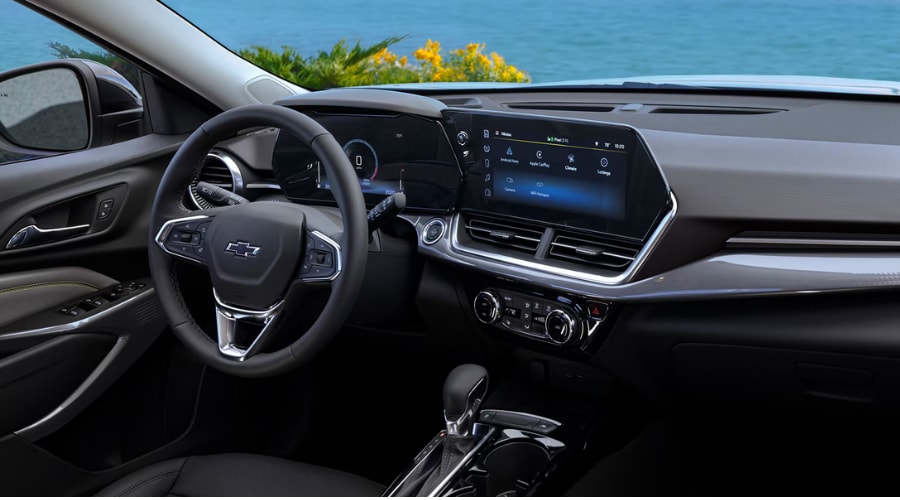
How to Customize the 11-Inch Screen and Safety Tech in Your 2026 Chevy Trax
When morning bumper-to-bumper traffic grinds to a halt along Route 70 in Marlton, having your favorite audio app and crisp navigation right where your eyes naturally fall changes everything. If you recently took the keys to a new crossover from your local Chevrolet dealer near Marlton, NJ, learning how to tailor the digital screens in your cabin is the fastest way to turn everyday commuting stress into pure convenience.
This 2026 Chevy Trax Screen Setup Guide walks you through organizing your touchscreen, pairing your phone without cables, tuning safety chimes, and keeping your exterior radar sensors working perfectly across Burlington and Camden Counties.
"Setting up a clean, high-contrast display layout keeps your eyes focused ahead while giving you instant control over cabin temperature and entertainment."
Customizing Your 2026 Chevy Trax Screen Setup Guide for Effortless Route 70 Commutes in Marlton
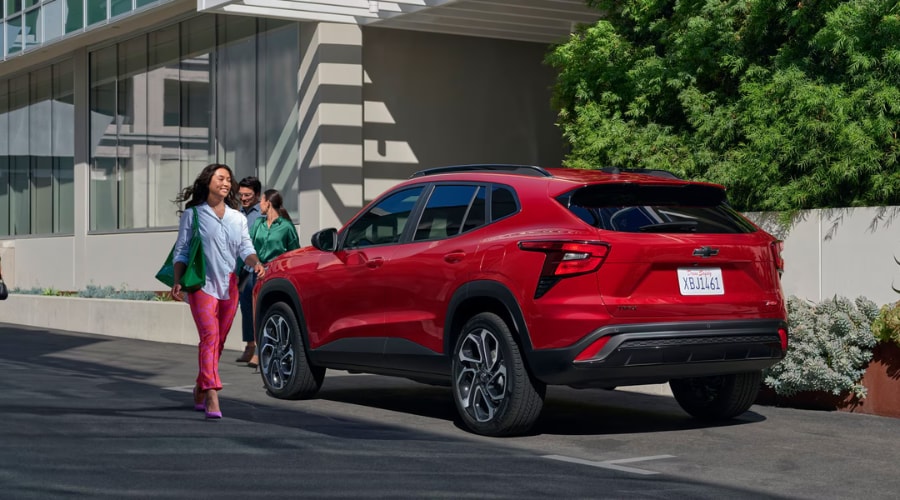
Glancing down at a cluttered digital dashboard while navigating busy merge lanes on Route 73 can pull your attention right away from the road. Setting up a clean display keeps your eyes focused ahead while giving you instant control over cabin temperature and entertainment.
Adjusting Your 2026 Chevy Trax 11 Inch Screen Settings for Crisp Nighttime Drives
Late-night drives back from dinner along the Greentree corridor feel much more relaxing when bright glass displays do not cause unnecessary glare. You can easily modify your display brightness and layout preferences in just a few taps:
2026 Chevy Trax Touchscreen Quick Setup Steps:
- Tap the Gear icon on your central display home screen to open settings.
- Select Display, then tap Mode to choose Auto, Day, or Night themes.
- Drag and hold top app icons to lock into the left shortcut bar.
- Toggle split-screen mode to view navigation maps and audio side by side.
Knowing how to adjust 2026 Chevy Trax 11-inch screen settings ensures that your visual layout remains comfortable whether driving under bright midday sun or down dark township roads.
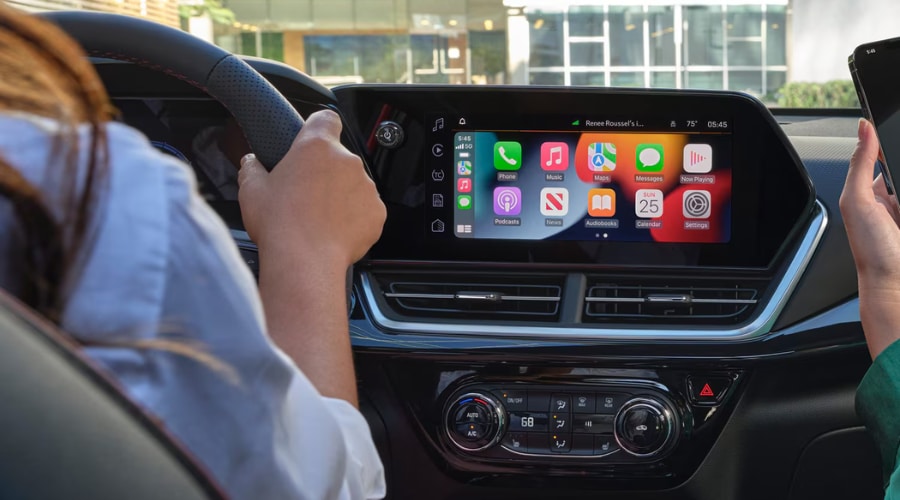
How to Set Up Chevy Trax Driver Information Center Digital Gauges
Staring at tiny, crowded instrument numbers on a dark highway makes tracking your cruising speed harder than it needs to be. Customizing your digital cluster layout brings essential driver telemetry into clear view right behind your steering wheel:
Chevy Trax Digital Gauge Customization Highlights:
- Press steering wheel arrows to cycle through digital cluster pages.
- Highlight your preferred gauge cluster style and display layout.
- Select Trip Data to view live speed sign recognition and fuel range.
Learning how to set up Chevy Trax driver information center options lets you monitor fuel range and driver assistance status without taking your eyes off the highway.
At Elkins Chevrolet, our team is dedicated to helping South Jersey drivers find and master the perfect vehicle for their daily routine. We are excited to feature the new 2026 Chevy Trax in our new inventory, and we invite you to visit our showroom along Route 70 in Marlton. Contact us to schedule a test drive with us today to experience this intuitive cabin technology firsthand.
Connecting Your Smartphone Wirelessly in Evesham Township Before Heading onto I-295
Fumbling with tangled charging cords while sitting at a red light in Evesham Township creates unnecessary clutter around your cup holders. Connecting your smartphone wirelessly gives you instant access to turn-by-turn directions, personal playlists, and hands-free calling the moment you start the engine.
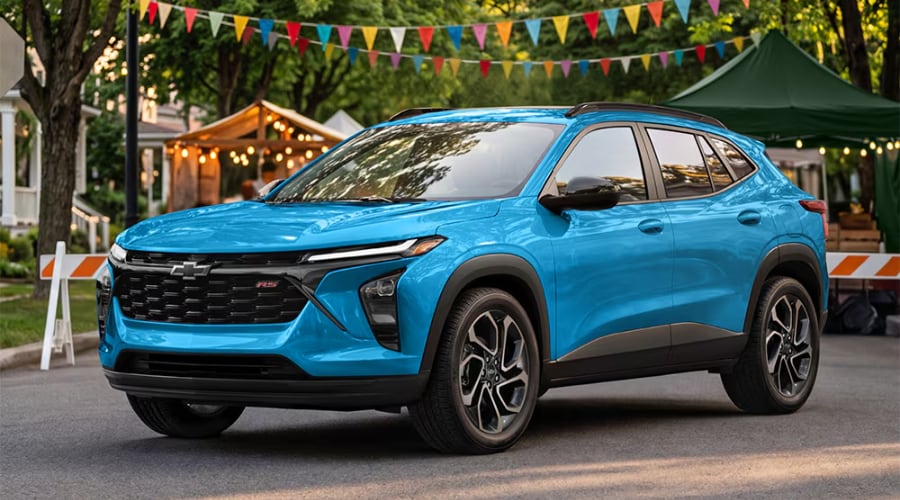
Step-by-Step 2026 Chevy Trax Wireless Apple CarPlay Setup for Hands-Free Navigation
Heading out on an early morning commute toward I-295 requires seamless access to live traffic updates. You can complete your 2026 Chevy Trax wireless Apple CarPlay setup or Android Auto connection in under two minutes by following these simple steps:
Wireless Smartphone Pairing Instructions:
- Enable Bluetooth and Wi-Fi on your smartphone before starting.
- Tap the Phone icon on the central touchscreen and select Add Phone.
- Select your vehicle name from the available Bluetooth devices list.
- Confirm the six-digit PIN code on both your phone and display screen.
- Allow contact syncing and wireless phone projection authorization.
Once paired, your phone re-engages automatically every time you start the crossover, keeping your center console completely free from messy cables.
Configuring Chevrolet Infotainment 3 Display User Profiles for Smooth Morning School Drop-Offs
Sharing a family vehicle often means spending five minutes readjusting display shortcuts and radio presets every time your spouse drives. Creating individual Chevrolet Infotainment 3 display user profiles saves your preferred display layouts, climate settings, and favorite local radio stations automatically:
User Profile Convenience Highlights:
- Personalized App Grids save customized home screen shortcuts daily.
- Audio Presets store preferred sports channels, news, and music.
- Automatic Recognition links your key fob for instant custom profile load.
If you ever need assistance setting up extra driver profiles, our friendly team at Elkins Chevrolet Tech Support Route 70 is always happy to walk you through the process in person.
Personalizing 2025 Chevy Trax Safety Settings for Calm Navigation Around Cherry Hill Shopping Plazas
Loud audio warnings that startle you while searching for a parking spot near busy Cherry Hill shopping centers can make simple errands feel stressful. Tailoring your active driver assist alerts ensures that safety warnings remain helpful and informative without becoming overly intrusive.
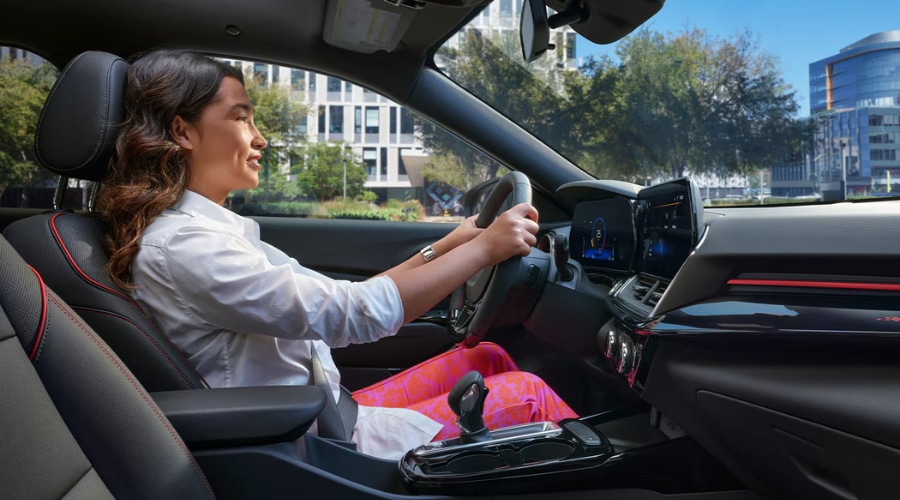
How to Change Lane Keep Assist Chime Volume for Relaxed Highway Driving
Driving down narrow lanes during peak traffic hours calls for smooth, gentle feedback rather than loud, jarring alerts. You can easily adjust active driver assist sensitivity to match your personal comfort level:
Lane Keep Assist Adjustment Menu Steps:
- Touch the Settings gear icon on the main central touchscreen.
- Scroll down and tap Vehicle, then select Collision/Detection Systems.
- Select Lane Keep Assist or Lane Departure Warning settings menu.
- Adjust warning alert type between chimes or seat vibration alerts.
Learning how to perform a Chevy Trax change lane keep assist chime volume adjustment gives you total control over how your vehicle communicates with you during daily travel.
Configuring Forward Collision and Rear Cross Traffic Alerts for Busy Parking Lots
Tailoring Active Safety Responses for South Jersey Shopping Plazas
Backing out of a tight parking space near crowded storefronts requires complete confidence in your surrounding environment. Fine-tuning your safety system responses helps you navigate tight spots with calm assurance while keeping your family protected.
Safety System Configuration Checklist:
- Forward Collision Alert offers Far, Medium, or Near alert timing.
- Rear Cross Traffic Alert provides directional audio warning chimes.
- Front Pedestrian Braking protects shoppers walking between parked vehicles.
Adjusting these 2025 Chevy Trax safety settings keeps your safety suite vigilant while maintaining a serene atmosphere inside your quiet cabin.
Keeping Front Bumper Sonar Clear During South Jersey Winter Weather in Mount Laurel
Driving through slush, road salt, and dirt along the NJ Turnpike can build up a film over your front emblem radar and windshield camera lens. Keeping these exterior sensor surfaces clear guarantees that your active safety systems can accurately evaluate the road ahead.
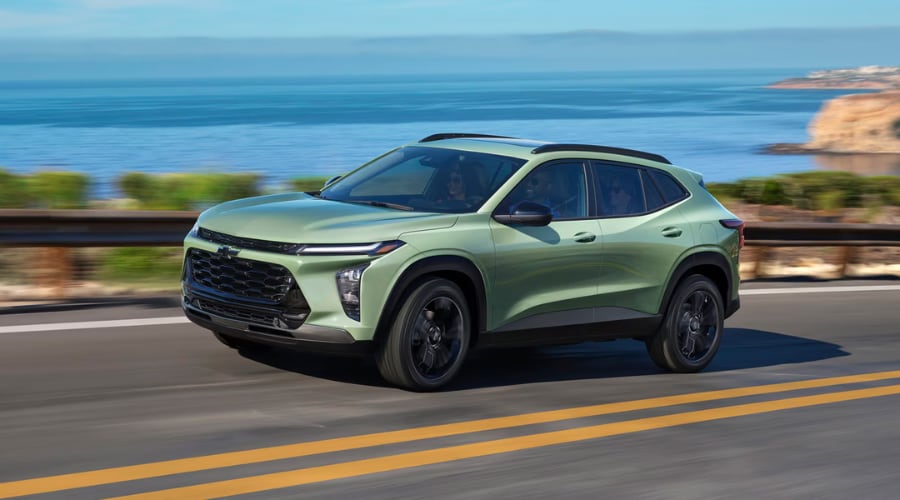
Simple Chevy Trax Radar Sensor Maintenance After Dusty or Muddy Backroad Drives
Noticing a sudden temporary safety system warning message during heavy snow or rain usually means dirt is blocking a sensor lens. Performing quick, regular Chevy Trax radar sensor maintenance takes only a few seconds:
Radar Sensor Cleaning Instructions:
- Wipe the center front grille emblem using a soft microfiber cloth.
- Clear ice, mud, or dirt from the top windshield mirror camera area.
- Gently wipe ultrasonic sonar sensors on front and rear bumpers.
Avoiding harsh chemical solvents or abrasive brushes prevents scratching the delicate protective covers over radar lenses and camera housings.
Professional Elkins Chevrolet Service Department Camera Calibration and Local Support
Hitting a deep pothole on an unpaved rural road can occasionally bump delicate bumper camera mounts slightly out of alignment. If an active safety warning light remains lit on your dash after cleaning your sensors, visiting a certified Chevy service center in Mount Laurel, NJ driver trust is the best next step.
Certified Service Department Diagnostics:
- Diagnostic Checks scan error logs using GM-certified software.
- Precision Camera Alignment recalibrates cameras to factory specs.
- Software Updates install latest infotainment patches for smooth performance.
Whether you need routine 2026 Chevy Trax service that Cherry Hill, NJ area drivers rely on or simple tech troubleshooting, our GM-certified technicians at your trusted Chevy dealer in Evesham, NJ drivers turn to are ready to help.
"Keeping your touchscreen software up to date and your safety cameras perfectly calibrated ensures that every drive across Burlington and Camden Counties remains stress-free."
Quick-Settings Reference Guide for South Jersey Trax Owners
Feature / Setting |
2026 Chevy Trax Setup |
Hyundai Venue Comparison |
|---|---|---|
Display Screen Size |
11-Inch Diagonal HD Touchscreen Available | 8-Inch Standard Touchscreen |
Wireless Phone Connection |
Wireless Apple CarPlay & Android Auto Standard | Wired Apple CarPlay & Android Auto on Upper Trims |
Driver Display Cluster |
8-Inch Digital Driver Information Center | 4.2-Inch Analog/Digital Instrument Cluster |
Active Safety Alert Types |
Customizable Audible Chimes & Haptic Seat Alerts | Standard Audible Chime Warnings Only |
User Profile Memory |
Infotainment 3 Multi-User Custom Profile Link | Basic Single-Driver Preset Memory |
Experience Personalized Cabin Tech at Elkins Chevrolet Today
Certified Tech Maintenance and Service Specials for Smooth South Jersey Commutes
Keeping your touchscreen software up to date and your safety cameras perfectly calibrated ensures that every drive across Burlington and Camden Counties remains stress-free. Our certified service center provides expert diagnostic tools along with rotating service specials to keep your crossover operating smoothly. Schedule a service appointment online today to have our factory-trained technicians inspect and fine-tune your vehicle technology.
Visit Our Showroom Along Route 70 for a Personalized Trax Technology Walkthrough
Personalizing your cabin display settings turns everyday driving along Route 70 and I-295 into a smooth, effortless experience. Whether you want to explore the new 2026 Chevy Trax inventory or need hands-on assistance configuring your wireless Apple CarPlay and safety chimes, our team is here to help. Visit Elkins Chevrolet in Marlton today or schedule a test drive to discover how intuitive modern cabin technology can be.
2026 Chevy Trax FAQ: Frequently Asked Questions
FAQ: 2026 Chevy Trax Screen & Technology Features
Q: What are the key highlights of the 2026 Chevy Trax screen setup?
A: The 2026 Chevy Trax features an available 11-inch diagonal HD central touchscreen paired with an 8-inch digital Driver Information Center. It includes standard wireless Apple CarPlay and Android Auto integration, customizable app grids, and multi-driver infotainment user profiles.
Drivers across Marlton and Burlington County enjoy effortless control over media and vehicle telemetry without distracting cable clutter on Route 70.
Q: How do I adjust my 2026 Chevy Trax 11-inch screen brightness for nighttime driving?
A: Tap the Gear icon on your touchscreen, select Display, and choose between Auto, Day, or Night mode settings. Auto mode automatically dims the screen when headlights turn on during evening commutes.
Adjusting screen themes helps eliminate glare while driving through dark stretches along the Greentree corridor in Evesham Township.
Q: Does the 2026 Chevy Trax support wireless Apple CarPlay and Android Auto?
A: Yes, wireless Apple CarPlay and Android Auto are standard across 2026 Chevy Trax trims. You can pair your device wirelessly via Bluetooth in under two minutes using the central screen.
Once configured, your phone automatically connects every time you start the crossover for smooth commutes toward I-295.
Q: How do I customize my Chevy Trax Driver Information Center cluster gauges?
A: Use the right-hand arrow controls on your steering wheel to cycle through cluster display layouts. You can highlight Trip Data, fuel efficiency, digital speed, or active driver assistance alerts.
Customizing gauge layouts brings essential driving telemetry directly behind your wheel for safer navigation in Camden County traffic.
Q: How do I change the Lane Keep Assist chime volume on my Chevy Trax?
A: Access Settings > Vehicle > Collision/Detection Systems on your touchscreen to adjust alert volume or switch to haptic seat warnings. Softening alert chimes creates a calmer cabin atmosphere.
Tailoring alert responses provides gentle feedback while navigating crowded shopping center lots in Cherry Hill.
Q: How do I clean my Chevy Trax front radar sensor after winter road driving?
A: Wipe the front grille emblem and top windshield camera area using a soft microfiber cloth and mild automotive glass cleaner. Avoid abrasive towels that could scratch protective sensor lenses.
Regular sensor cleaning ensures active safety systems continue evaluating road conditions accurately along snow-covered South Jersey highways.
Q: How does the 2026 Chevy Trax compare to smaller models in our lineup, like the Chevrolet Trailblazer?
A: The 2026 Chevy Trax offers a slightly longer wheelbase and lower profile focused on urban commuting efficiency, whereas the Trailblazer emphasizes higher ground clearance. Both crossovers share advanced 11-inch touchscreen technology.
Stop by our showroom near Route 73 in Marlton to compare cargo dimensions and seating comfort in person.
Q: Can I reserve or preorder the 2027 Chevy Trax with Elkins Chevrolet?
A: Yes, you can reserve or preorder upcoming Chevy Trax models directly through our sales specialists at Elkins Chevrolet. We assist South Jersey drivers with custom trim, color, and option configurations.
Submit your request online or visit our showroom on Route 70 in Marlton to reserve your preferred vehicle configuration.
Q: Can I complete the entire car-buying process online at Elkins Chevrolet?
A: Yes, you can complete your entire vehicle purchase online using our digital retail tools. Browse inventory, evaluate trade-in values, choose payment options, and apply for financing from home.
Our team provides full online support and home vehicle delivery across Burlington and Camden Counties.
Q: Do you offer pre-approval for Chevrolet auto loans near Marlton, NJ?
A: Yes, Elkins Chevrolet offers online pre-approval through our secure finance department portal. Completing an online application streamlines your showroom visit and saves time.
Submit your online credit application today to review competitive financing options tailored to your budget.
Q: Where is Elkins Chevrolet located in Marlton, NJ?
A: Elkins Chevrolet is conveniently located at 401 Route 73 South in Marlton, NJ 08053. Our dealership sits right near the Route 70 intersection, making it easily accessible from Evesham Township, Mount Laurel, and Cherry Hill.
Visit our showroom to explore new inventory or schedule a certified service appointment.
Q: Can I schedule Chevrolet vehicle service online at Elkins Chevrolet?
A: Yes, you can schedule maintenance and camera calibration appointments anytime using our online scheduler. Our GM-certified technicians inspect sensor systems, perform software updates, and handle routine maintenance.
Check our current service coupons online before bringing your vehicle into our Mount Laurel area service center.